Community Chest

Bringing communities together, making communities beautiful.


10 The idea

Community Chest is about breaking down barriers within and between communities - getting people outside and engaging with each other.

It is a synthesis of two earlier apps I helped create (Walk & Roll, Trash Mob) plus the feedback of all sorts of Detroiters and mentors.

The goal is a better local future, built in the real world with the help of your neighbors.

The feed: a neighbor's video of an alley cleanup playing in a rounded card, the previous and next videos peeking from behind it on either side, with Count me in below.
The feed: a neighbor pitches a cleanup on video. Count me in is one tap away.

20 What it does

Screens from the current beta. The numbers are sample data from the built-in demo; the pitch videos are real.

Find what is happening nearby

The feed and the map both start from your own neighborhood. A shared link opens anywhere, no app needed.
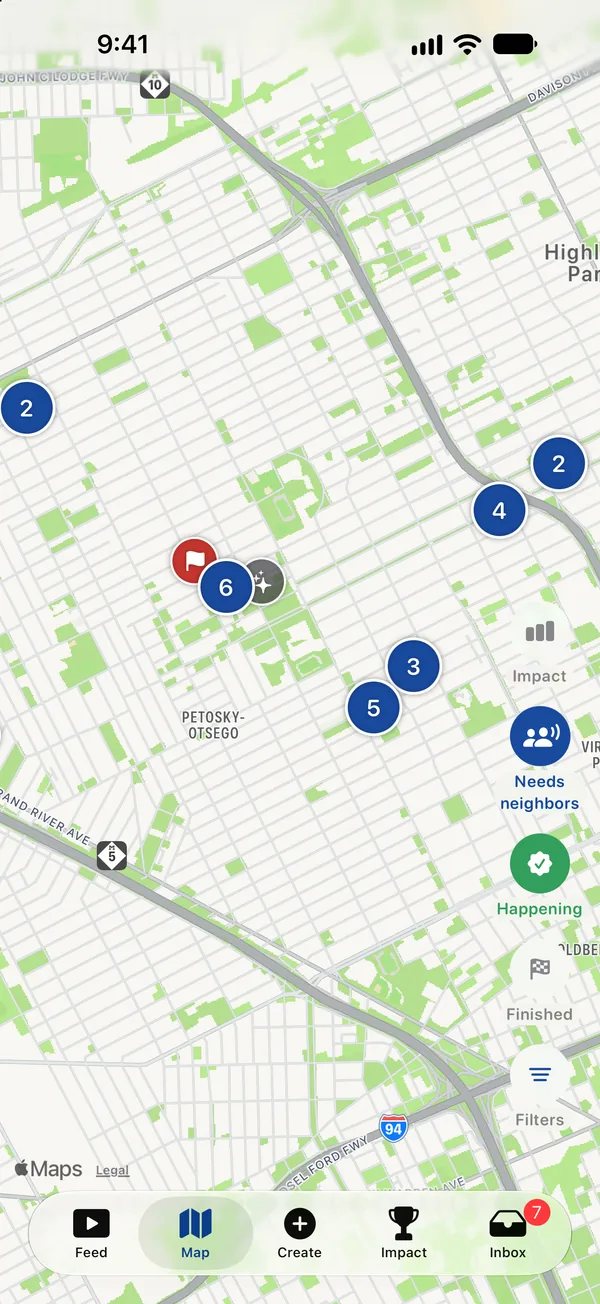
The Map tab: numbered clusters of gatherings across a Detroit street grid, with Needs neighbors, Happening and Finished filters on the right edge.
The map: gatherings near you, filtered by what still needs people.
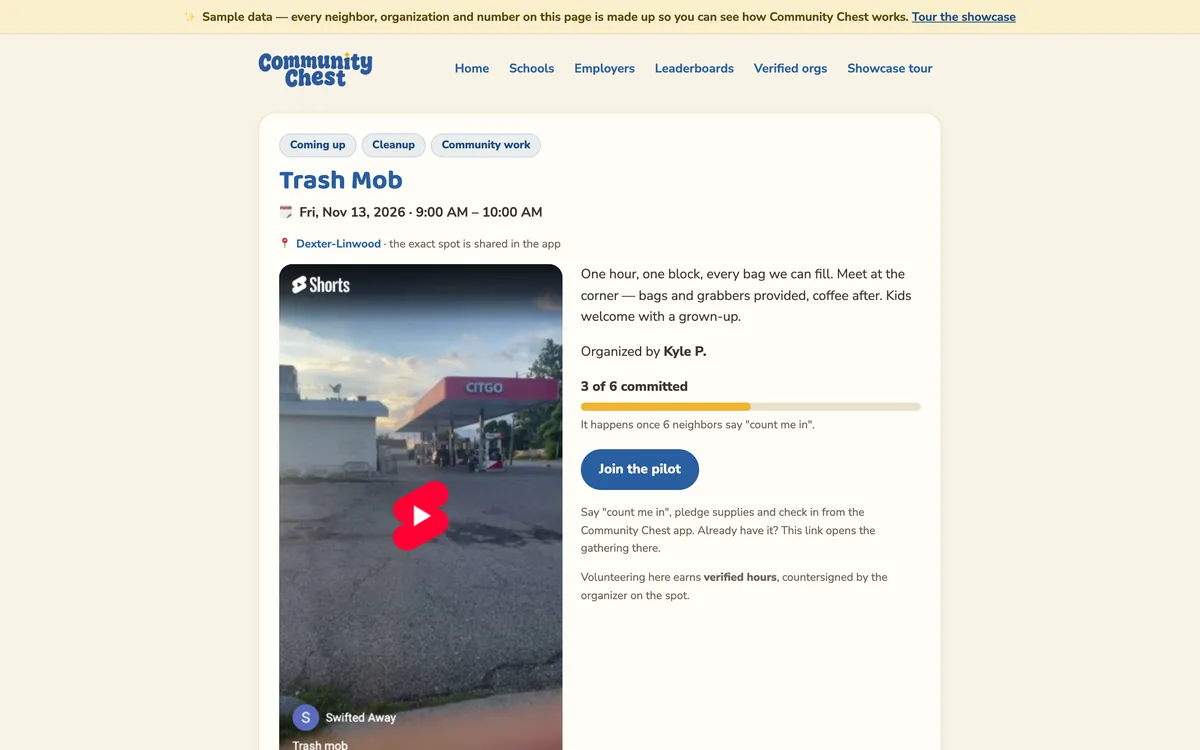
The public web page for a Trash Mob cleanup: the pitch video, 3 of 6 committed, the organizer, and a Join the plan button.
A shared link opens a plain web page with the pitch, the plan and who is in - no app required.

Commit, then it is a go

Neighbors say count me in before anything is scheduled. Once enough commit, the time locks in and everyone hears about it.
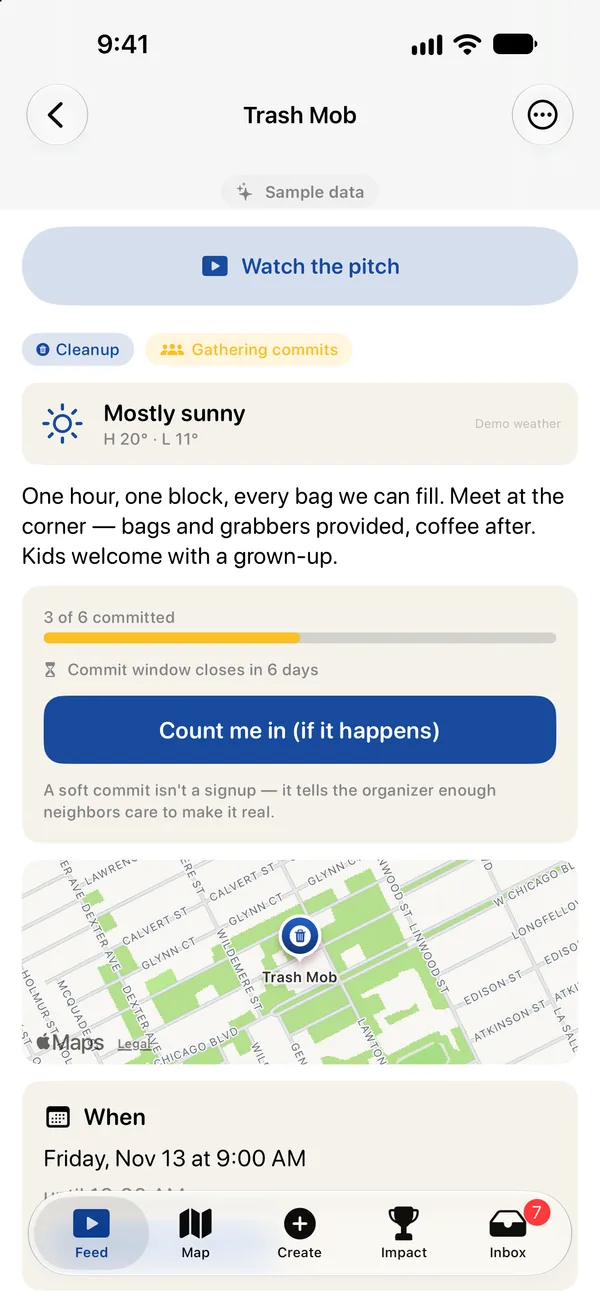
A gathering page for Trash Mob: 3 of 6 committed, the commit window closes in 6 days, a Count me in (if it happens) button, and a note that a soft commit is not a signup.
A soft commit tells the organizer enough neighbors care to make it real.
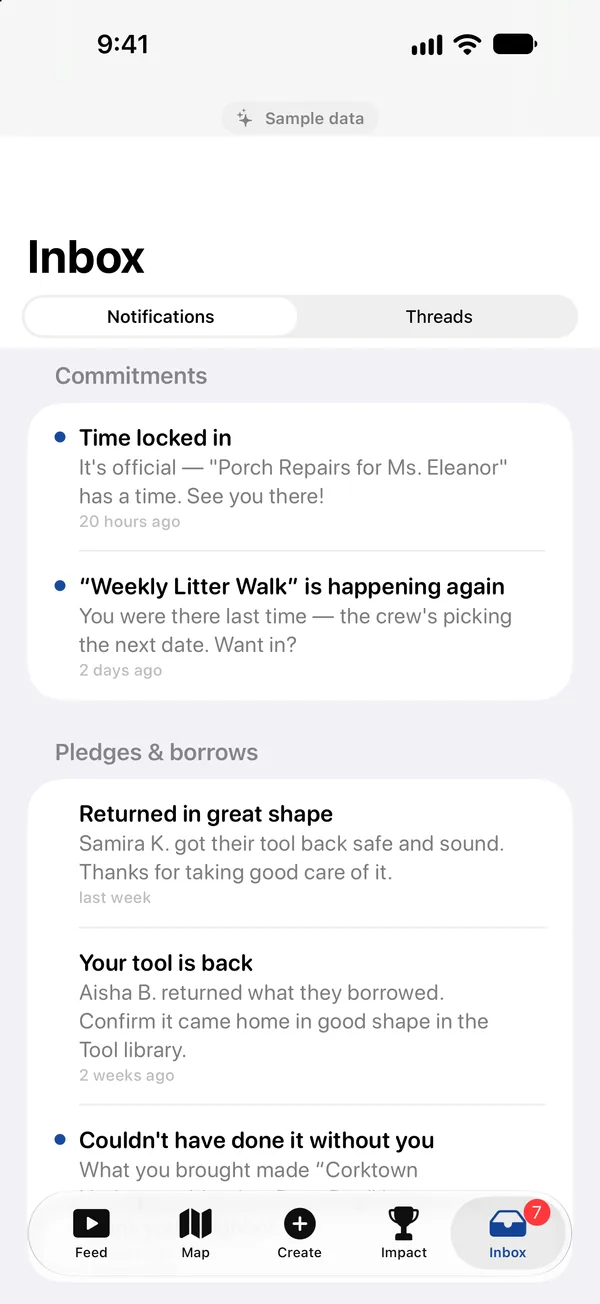
The Inbox: a Time locked in notice for Porch Repairs for Ms. Eleanor, a repeat invitation, and tool-loan updates.
Time locked in: the moment a gathering reaches its threshold.
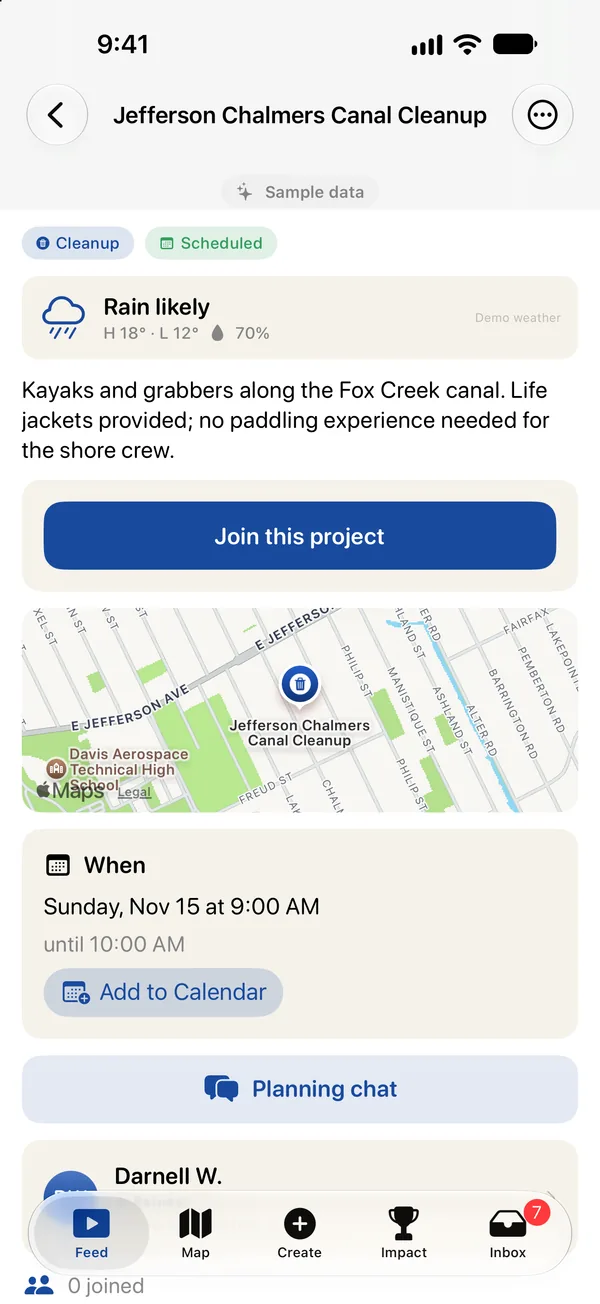
A scheduled canal cleanup: Join this project, a map of the meeting point, the time with Add to Calendar, and a Planning chat.
Once it is scheduled: join, add it to your calendar, plan it in the group chat.

Start something in two minutes

Pick a kind, name it, and pitch it on video - with the back camera on the scene, or both cameras so your face is in the corner.
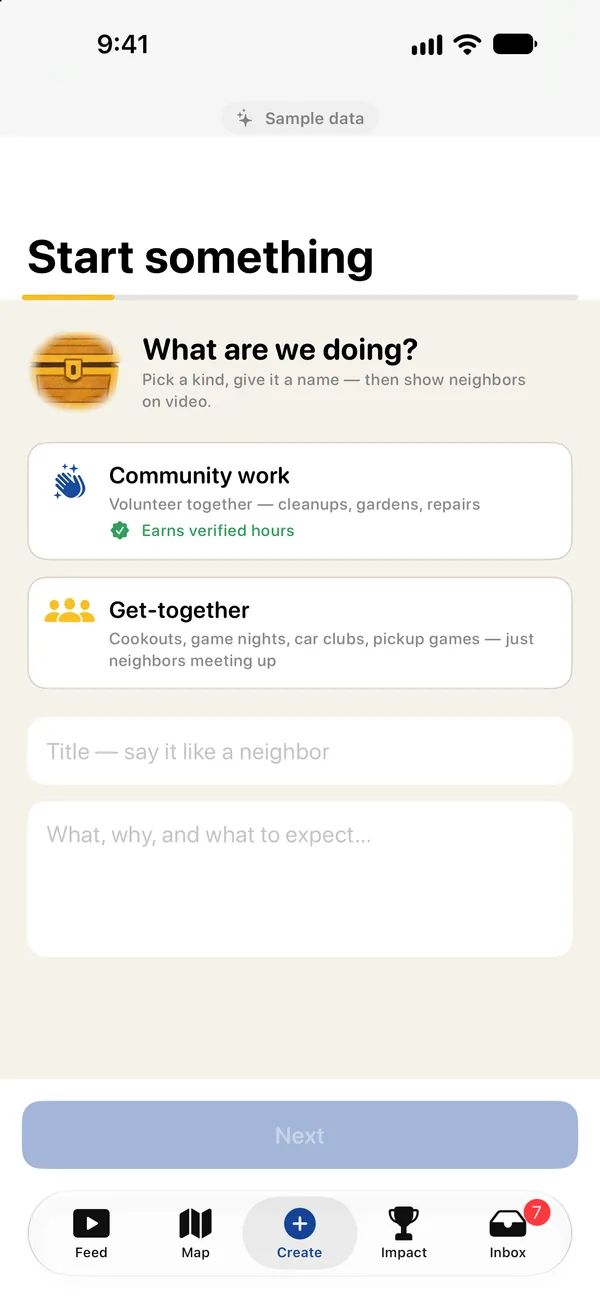
The first step of Start something: a choice between Community work, which earns verified hours, and a Get-together, then a title and a description.
Community work earns verified hours. Get-togethers are for meeting neighbors.

Show up and check in

On the day, neighbors check in by location, a scanned badge or the organizer's roster. Checking out logs the hours.
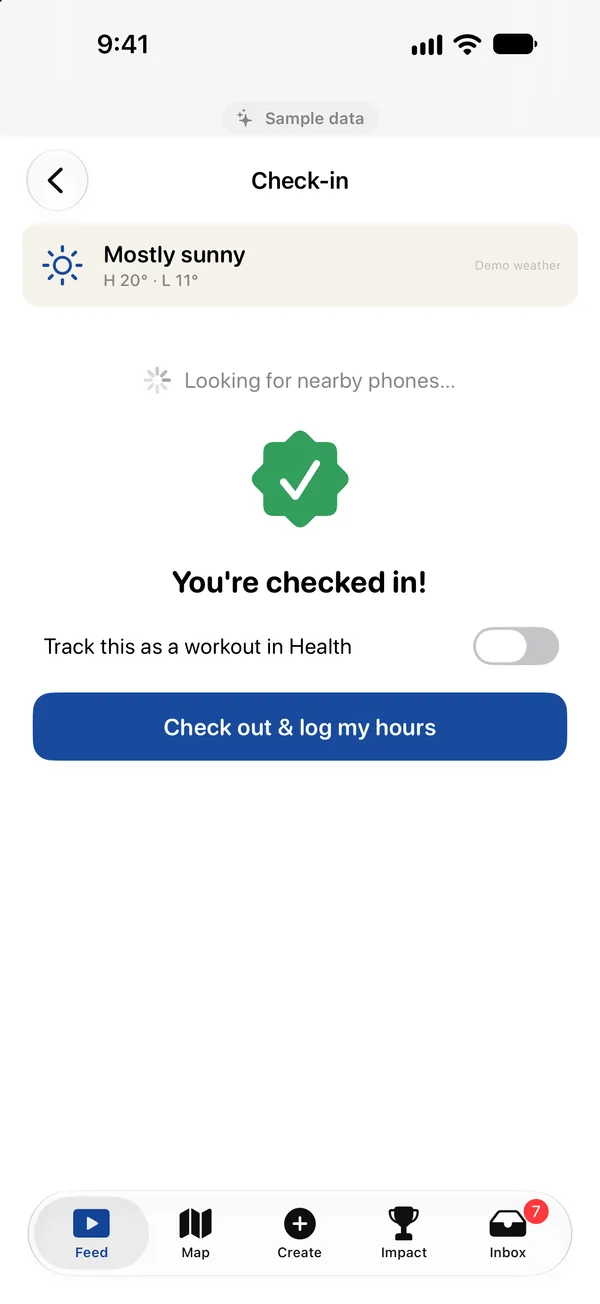
The Check-in screen: You are checked in, a switch to track it as a workout in Health, and a Check out and log my hours button.
Checked in. Check out logs your hours, and can save the time as a Health workout.

Verified hours that count

Every hour is countersigned by the organizer and adds up for you, your school, your employer and your neighborhood.
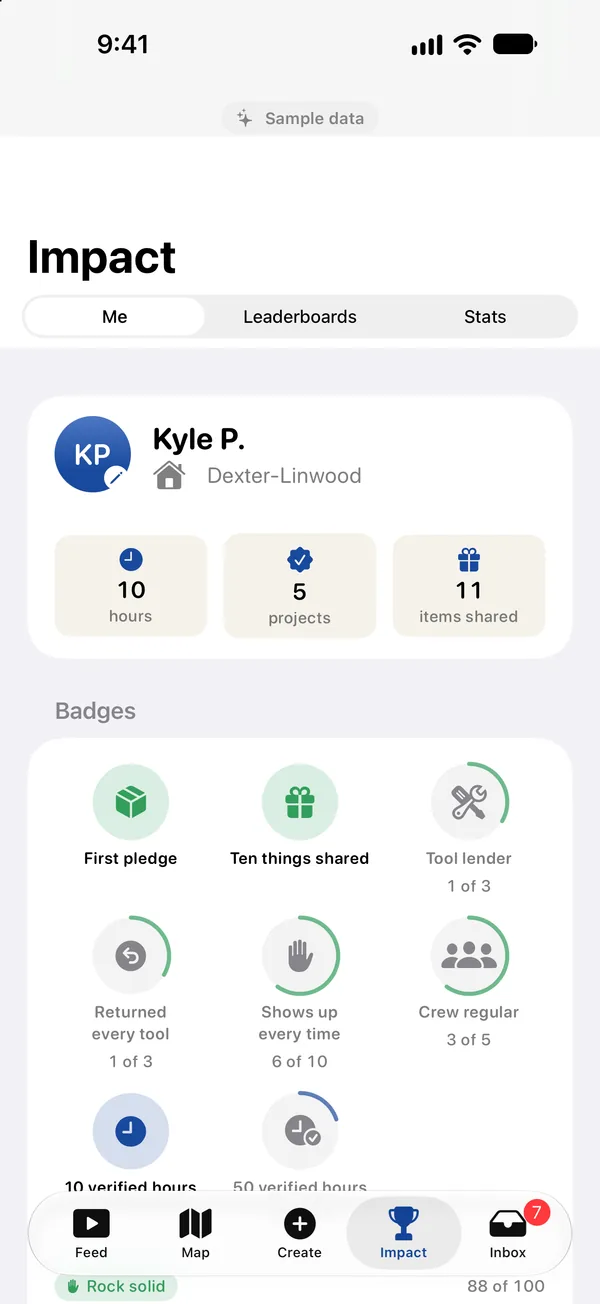
The Impact tab: Kyle P. in Dexter-Linwood with 10 hours, 5 projects and 11 items shared, and a grid of badges with progress rings.
Your impact: hours, projects, items shared, and badges on the way.
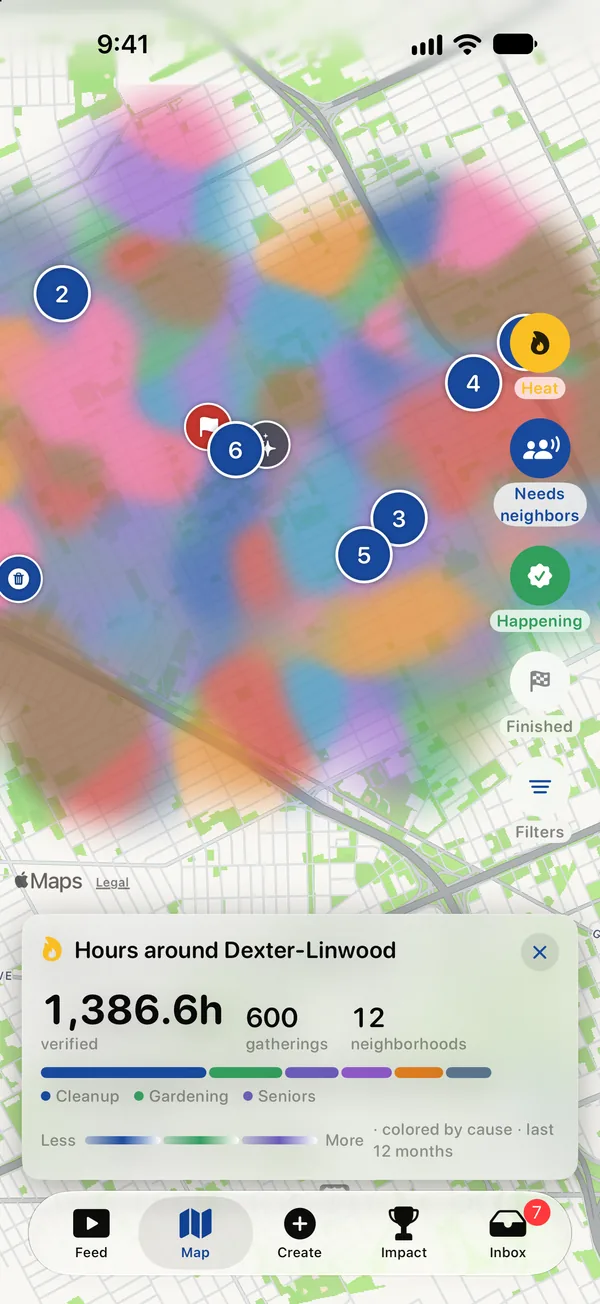
The map with the Neighborhood impact layer: colored patches over Dexter-Linwood and a card reading 1,386.6 verified hours, 600 gatherings, 12 neighborhoods.
The neighborhood impact layer: a year of verified hours, colored by cause.
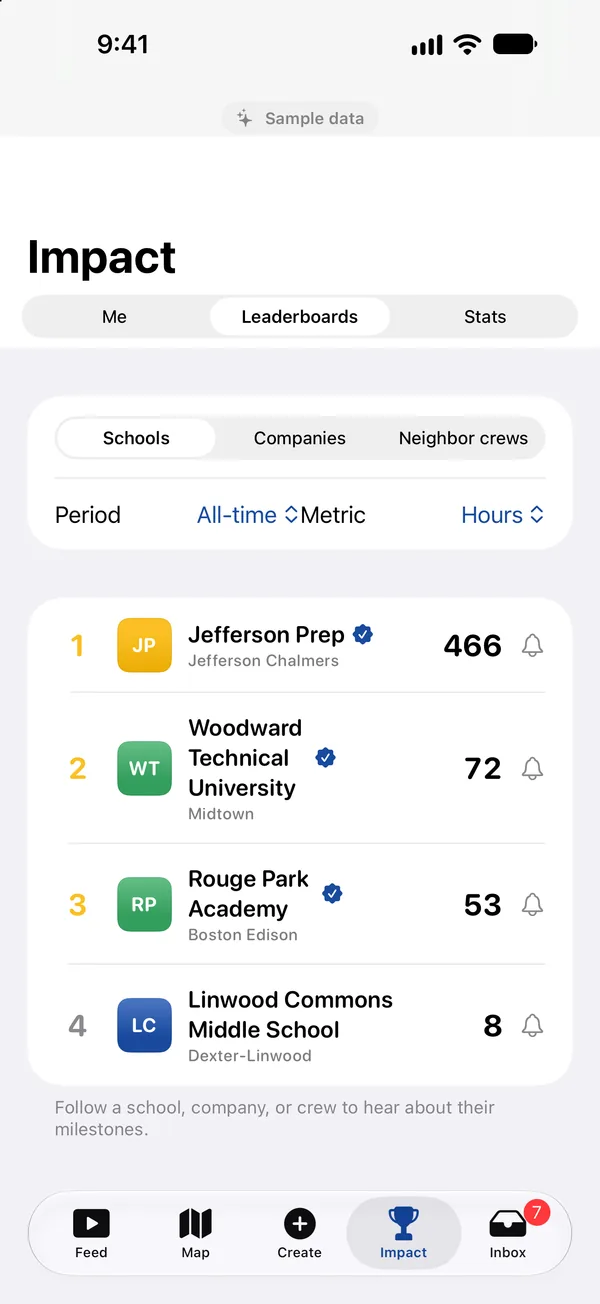
Leaderboards: schools ranked by all-time hours, Jefferson Prep first with 466, each with a verified check.
Standings for schools, companies and neighbor crews.

For schools and employers

Organizations see their people's impact in a web portal: totals, causes, where they show up, and printable reports.
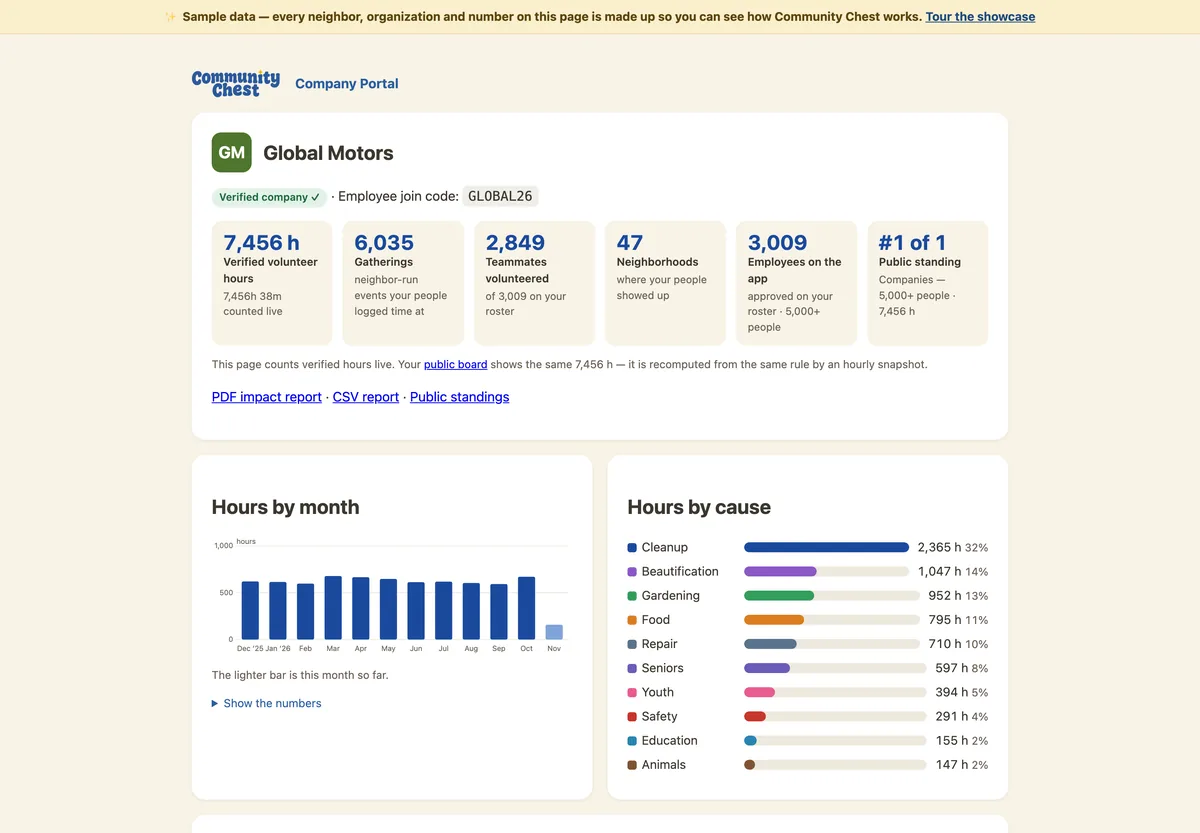
The company portal for Global Motors: 7,456 verified hours, 6,035 gatherings, 2,849 teammates on the app, 47 neighborhoods, with charts of hours by month and by cause.
The company portal: verified hours, gatherings, teammates on the app, hours by month and by cause.
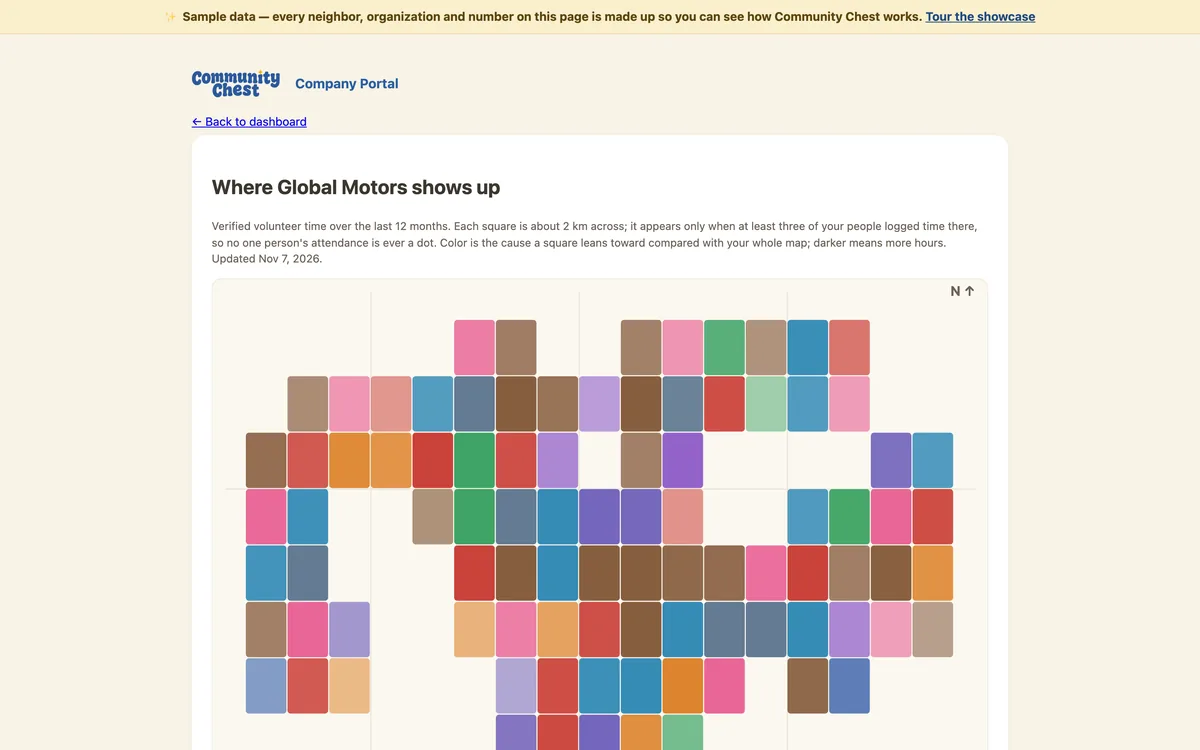
A map of colored squares showing where a company's people have logged time around Detroit, keyed by cause.
Where a company shows up. A square appears only once three or more people have logged time there.
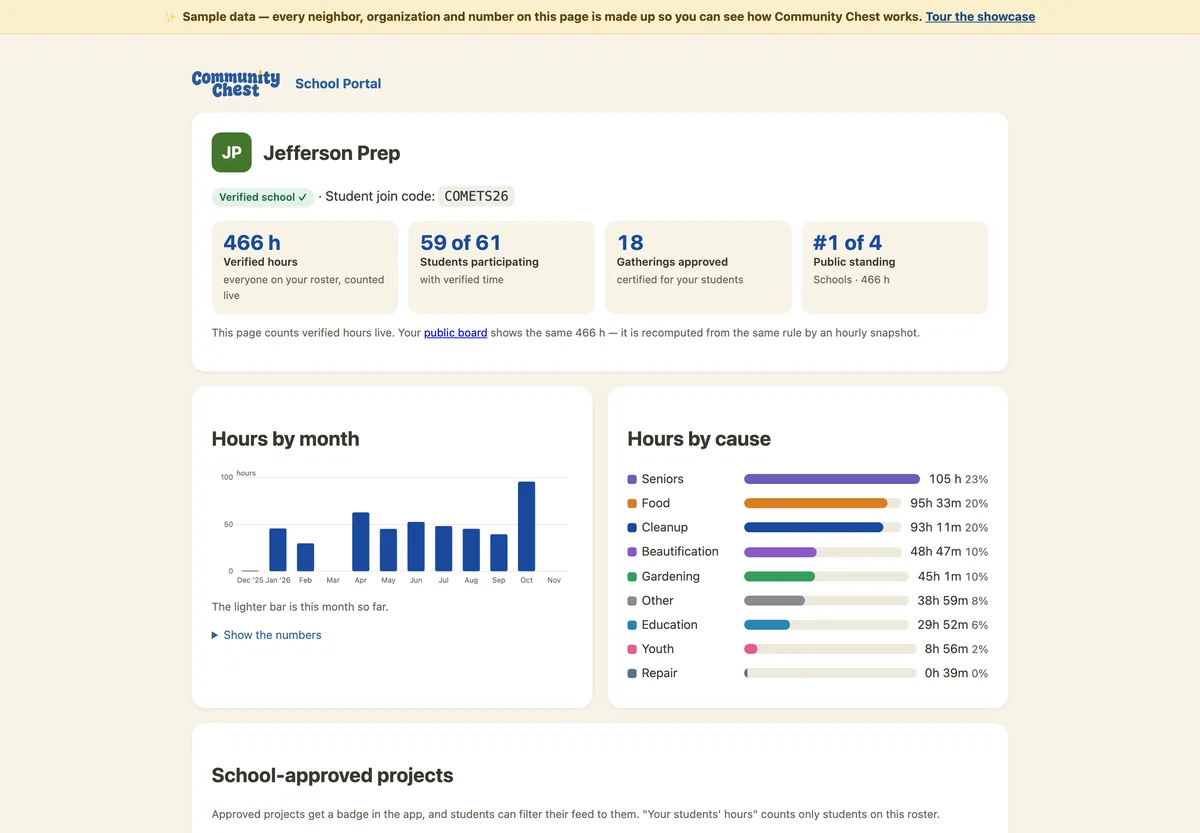
The school portal for Jefferson Prep: 466 verified hours, 59 of 61 students participating, 18 approved gatherings, first of four in public standing.
The school portal: student hours, participation, approved gatherings and standing. Transcripts print as PDF.

Private by design, family in the loop

Parents of teens see where their kid checked in and approve evening plans. Never messages, never a location beyond the gathering.
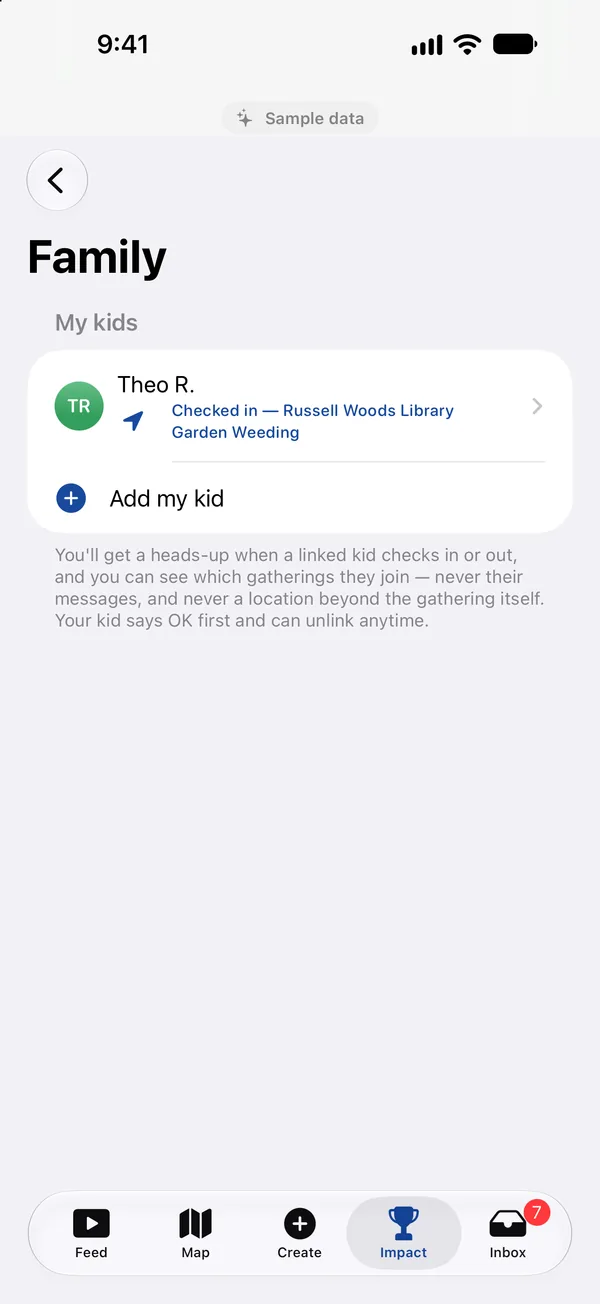
The Family screen: Theo R., checked in at Russell Woods Library Garden Weeding, with a note that parents never see messages or any location beyond the gathering.
Family: a linked teen's check-in, with the privacy promise underneath.
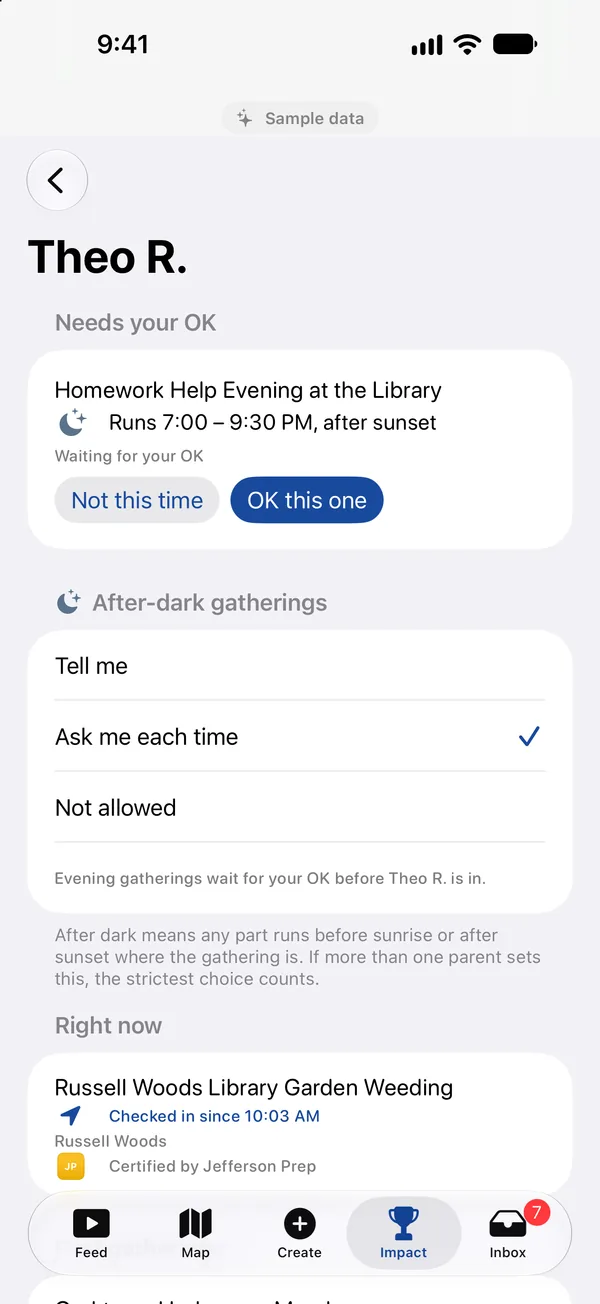
A teen's page for a parent: Homework Help Evening at the Library runs after sunset and needs the parent's OK, with a choice of how after-dark gatherings are handled.
Gatherings after dark wait for a parent's OK. Parents choose how that works.

30 Play

iPhone today. The Android version is built and in testing; a Google Play link will appear here when it opens.

40 Legal

50 Go to


READY.